How to use cardpresso to print barcode with running serial number on ID card printer?

05/Sep/2014
CardPresso XXS Lite version can print serialized barcode by follow the step below;

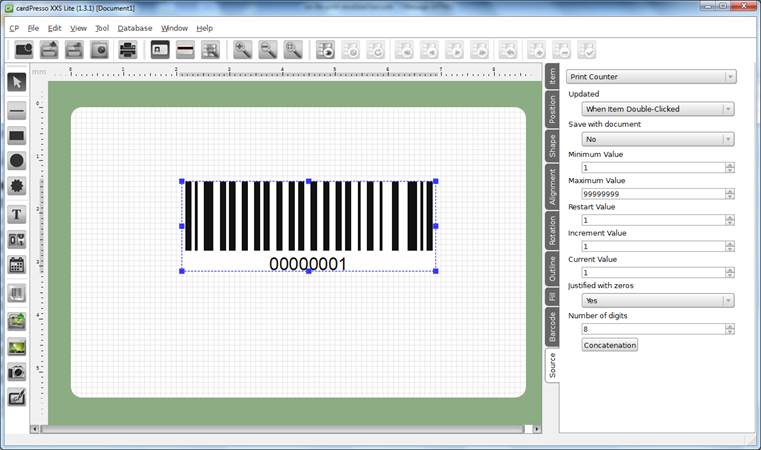
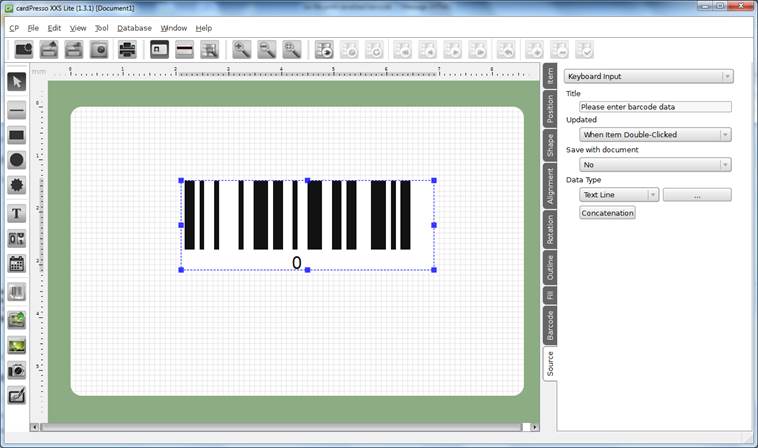
1.)    Create a barcode


2.)    Change the Keyboard Input to Print Counter


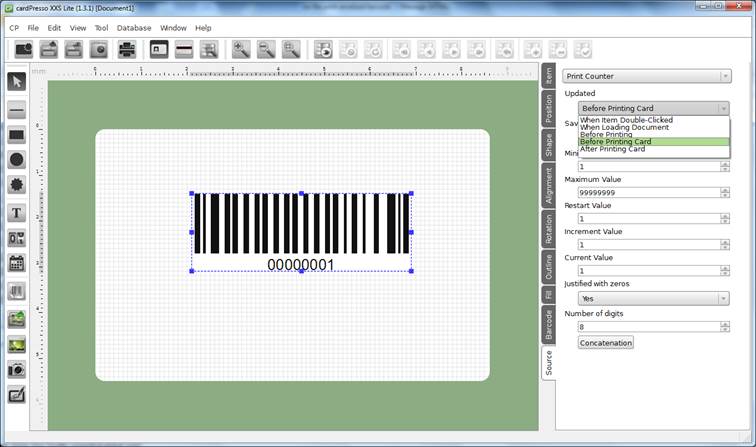
3.)    Change the updated from When Item Double-Clicked to Before Printing Card


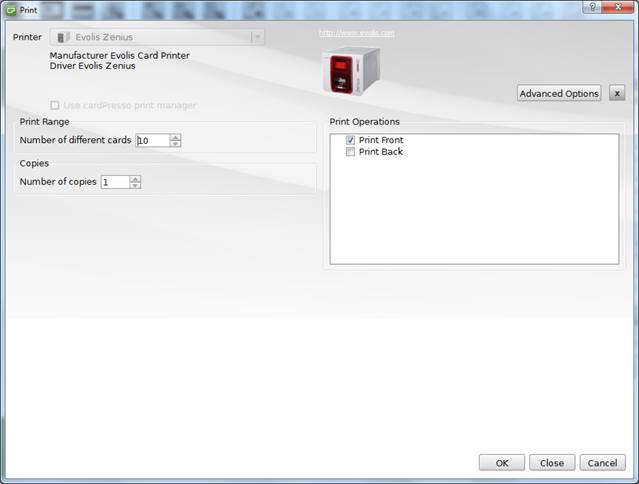
4.)    Before print card insert the print range


Now the barcode will be printing serialized number.


CardPresso XXS Lite version can print serialized barcode by follow the step below;

Read more about card presso from below link: Card Presso

by: Eileen
Date 
Icon 
Title 
11/Jan/2021IconWhat is the purpose of barcode printer? Why you want to buy a barcode label printer?
11/Jan/2021IconHow to generate Print to file document for printer analysis, way to troubleshoot your label printer
Page 2 of 2 (12 items)Prev1[2]Next
Related Products
PRIMACY
ZENIUS