 | Loading… |
How to setup Hotel Housekeeping Paging Solution
20/Jan/2026
To setup this simple to use solution, below is the step by step procedure.
Step 1 - Label room number for your Room Tag
You may use marker pen to write the room number on the Room Tag.
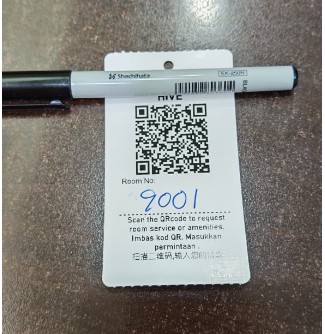
Step 2 - Scan the Room Tag QRcode 1 by 1 to setup the room number in AGen portal.
You will need to key in your room number into the portal so you can know which room is requesting housekeeping service.
.jpeg)
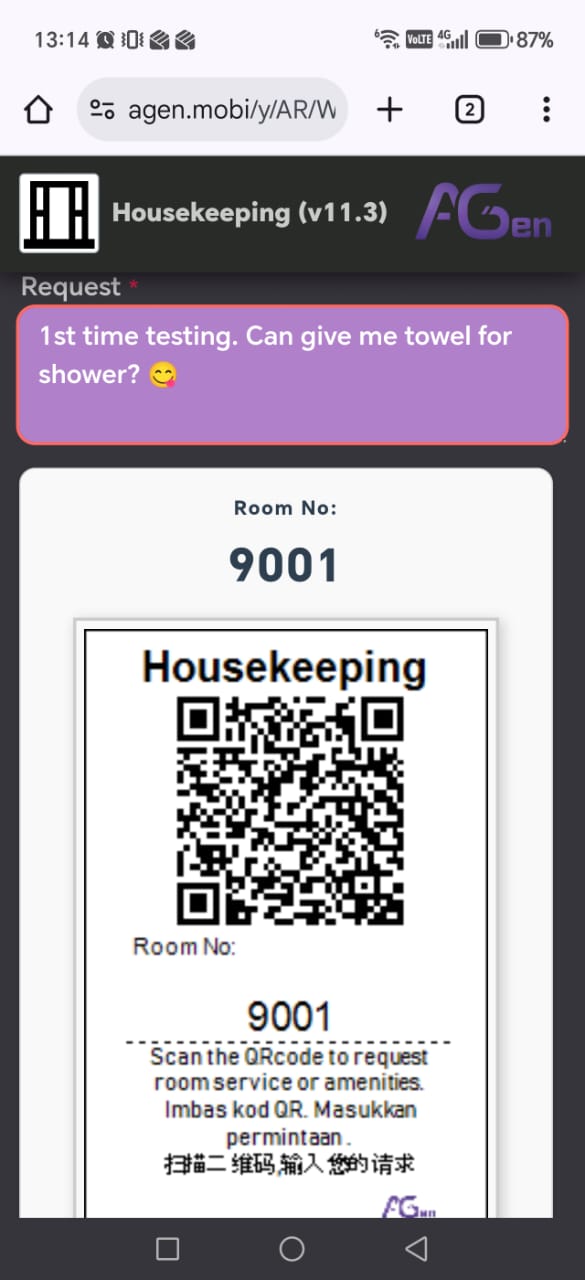
Step 3 - Sample record entry into the portal.
After setup the room number for the first time, Now you can try to key in the request for the first time.
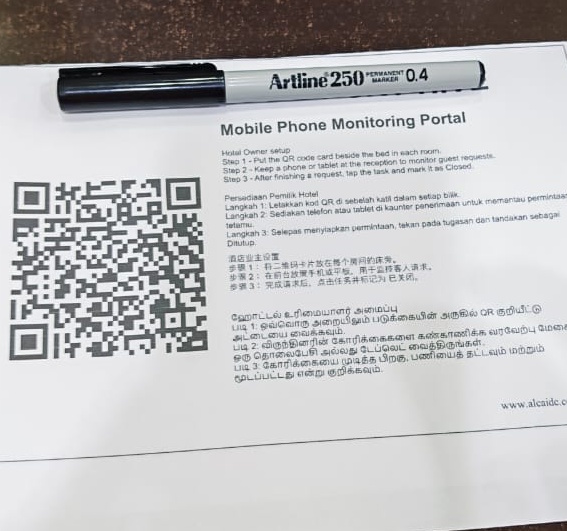
Step 4 - Monitor housekeeping record using mobile phone
For continuous monitor the housekeeping records, you need to invest into 1 mobile phone (2nd hand will do) to alert the reception on the room housekeeping paging.
Nortern Support: (604) 262 1650 Cik Afiqah
Center Support: (603) 62801650 Cik Sharon
Sourtern Support: (607) 5591650 Cik Nora
|